Why Google My Business Matters for Small Businesses
Local search is intent-rich — meaning people are looking for something right now, in your area.
- 76% of people who search for something nearby on their smartphone visit a business within a day.
- 28% of those searches result in a purchase.
If your GMB profile is incomplete, outdated, or inconsistent, you’re handing customers to competitors.
Think of GMB as your “zero-click website.” Many users will decide whether to visit or call you without ever hitting your homepage.
Step 1: Claim and Verify Your Listing
Before you can optimize, you need to own your listing.
How to Claim your Google Business Profile:
1. Go to Google Business Profile Manager
2. Search for your business name.
3. If it appears, click Claim This Business.
4. If not, click Add Your Business to Google.
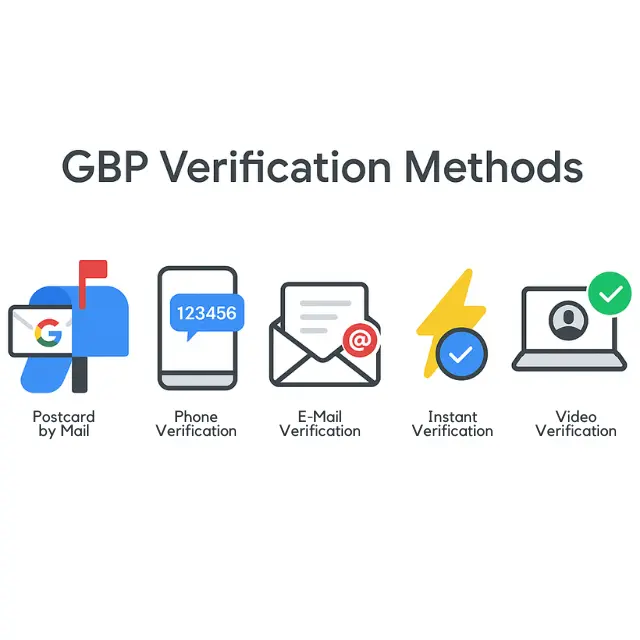
GBP Verification Methods:
- Postcard by Mail (most common)
- Phone verification (if eligible)
- Email verification (if eligible)
- Instant verification (if you already verified in Search Console)
- Video verification (in some cases)
Pro Tip: Don’t skip verification. Until your profile is verified, your updates won’t appear live.
Step 2: Build a Complete, Click-Worthy Profile
Business Name
Match exactly how it appears on signage and official documents.
Category
Choose the most relevant primary category (you can add secondary ones later).
Address & Service Area
Accurate and consistent with your website and other listings.
Phone Number
Use a local number when possible (not a call center).
Website URL
Use UTM parameters to track GMB traffic in Google Analytics.
Business Description
750 characters max; front-load keywords and tell people why you’re different.
Photos & Videos
High-quality shots of your location, products, staff, and happy customers.
Hours of Operation
Include holiday hours to avoid customer frustration.
Step 3: Optimize for Local SEO
Your GMB profile is a key local SEO signal. Here’s how to make it rank higher:
Consistent NAP (Name, Address, Phone) across all platforms — website, social media, and directories.
Keyword-rich descriptions — Naturally include terms your customers search for (“emergency plumber in [city]”).
Service/Menu listings — Add all your offerings with descriptions and prices when possible.
Attributes — Mark relevant features like “Wheelchair Accessible,” “Women-Owned,” or “Pet-Friendly.”
Pro Tip: Your primary category has the biggest SEO impact. Choose wisely — this is the main trigger for search visibility.
Step 4: Post Like It’s Your Social Feed
GMB isn’t just static info — you can publish updates that appear right in Google Search and Maps.
Types of GBP Posts:
- What’s New – Announcements, tips, or updates.
Offers – Special discounts or promotions. - Events – Details with dates and times.
- Products – Spotlight individual items.
Best Practices for your Google Business profile Updates:
- Post at least once a week to keep your profile fresh.
- Use compelling images (minimum 1200×900 pixels).
- Add a clear CTA like “Call Now,” “Book,” or “Learn More.”
Step 5: Get and Manage Reviews Strategically
Reviews are gold for both rankings and conversions.
How to Get More Google Reviews:
- Ask happy customers directly (in person or via follow-up email/text).
- Include a review link on receipts, invoices, and email signatures.
- Incentivize with a small thank-you offer (but avoid violating Google’s guidelines by paying for reviews).
Responding to Google Reviews:
- Positive: Thank them and add a personal touch.
- Negative: Respond calmly, acknowledge the issue, and invite them to continue the conversation offline.
Pro Tip: The way you handle negative reviews can win over more customers than the positive ones.
Step 6: Use GMB Insights to Drive Marketing Decisions
Google gives you free analytics through GMB Insights.
Key Metrics to Watch:
- Search Queries – What people typed to find you.
- Views – How many times your profile was seen in Search and Maps.
- Actions – Clicks to your website, calls, direction requests.
- Photo Views – Compare your image engagement to competitors.
Action Step: If you see a lot of searches for a specific service, make it more prominent in your posts and description.
Step 7: Advanced GMB Marketing Tactics
Once you’ve nailed the basics, push your GMB performance further.
- Local Link Building – Partner with local blogs, newspapers, or event sites to boost authority.
- Geo-tag Photos – Upload images with location data for stronger local relevance.
- Google Q&A – Seed common questions (and answer them) to preempt customer doubts.
- Service Area Targeting – For service businesses, expand coverage strategically to nearby towns.
Integrate with Paid Ads – Connect your GMB to Google Ads for location extensions.

The Wrap Up
Your Google Business Profile isn’t just an online listing — it’s a 24/7 salesperson, a trust signal, and a direct path to more customers. When it’s complete, accurate, and actively managed, it puts you in front of the right people at the exact moment they’re ready to buy.
From claiming your profile to posting regular updates, optimizing for local SEO, and leveraging insights, every step you take builds credibility, boosts visibility, and drives real-world results.
If managing all of this feels overwhelming or you’re unsure where to start, Pure Junk Media is here to help. Whether you need a full profile overhaul, ongoing optimization, or simply answers to your GBP questions, we’ve got you covered.
📞 Reach out to Pure Junk Media today for expert guidance on all your Google Business Profile needs — and start turning searches into sales.
Google Business Profile Setup FAQ
To set up a Google My Business listing for your small business, go to Google Business Profile Manager, search for your business, and click Claim This Business if it appears. If it doesn’t, click Add Your Business to Google. Then verify via postcard, phone, email, or instant verification. Your listing won’t go live until it’s verified.
Google My Business is free for all businesses. You only pay if you choose to run Google Ads or other paid promotions linked to your profile.
To improve your GMB ranking, complete your profile fully, use accurate business categories, add keyword-rich descriptions, post regularly, get high-quality reviews, and maintain consistent Name-Address-Phone details across the web. Profiles with fresh posts, active review responses, and recent photos rank higher.
Post at least once a week to keep your profile active and show Google you’re engaged. Frequent posts help you appear in “just updated” filters and can boost visibility for time-sensitive offers or events.
Yes. Google factors in review quantity, star rating, and recency when ranking local businesses. A steady stream of positive reviews signals trust and relevance, improving your chances of showing up in the Local Pack.
Yes, you can manage multiple locations under one account in Google Business Profile Manager. Each location should have its own verified listing with accurate details and location-specific content.